How to manage my API keys?
Navigate to AvaCloud’s application and log in.
Creating a new API key
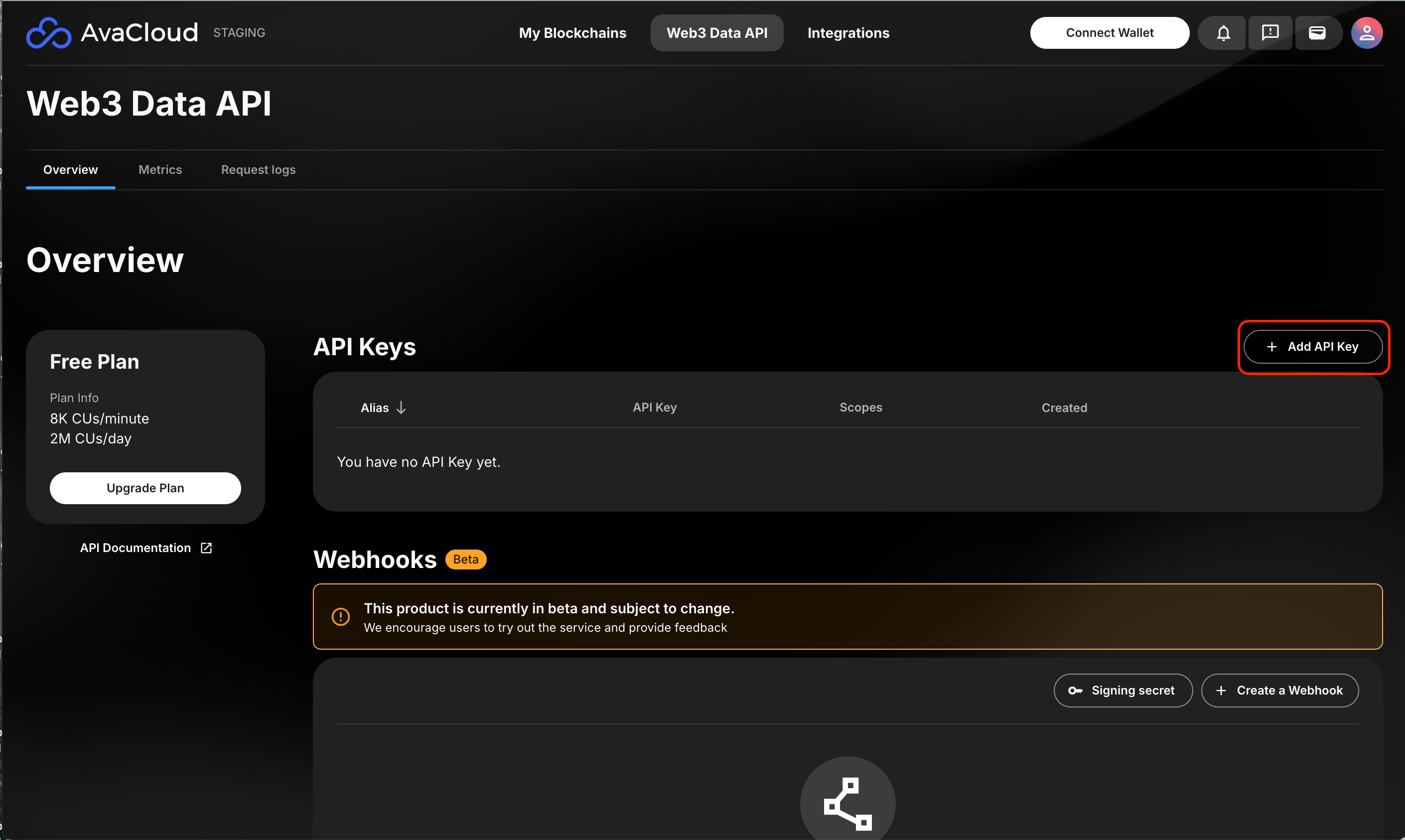
To create a new API key, users can go to the “Web3 Data API” tab and click “Add API Key”. If users do not have any active keys, the Create API Key panel will pop up automatically.
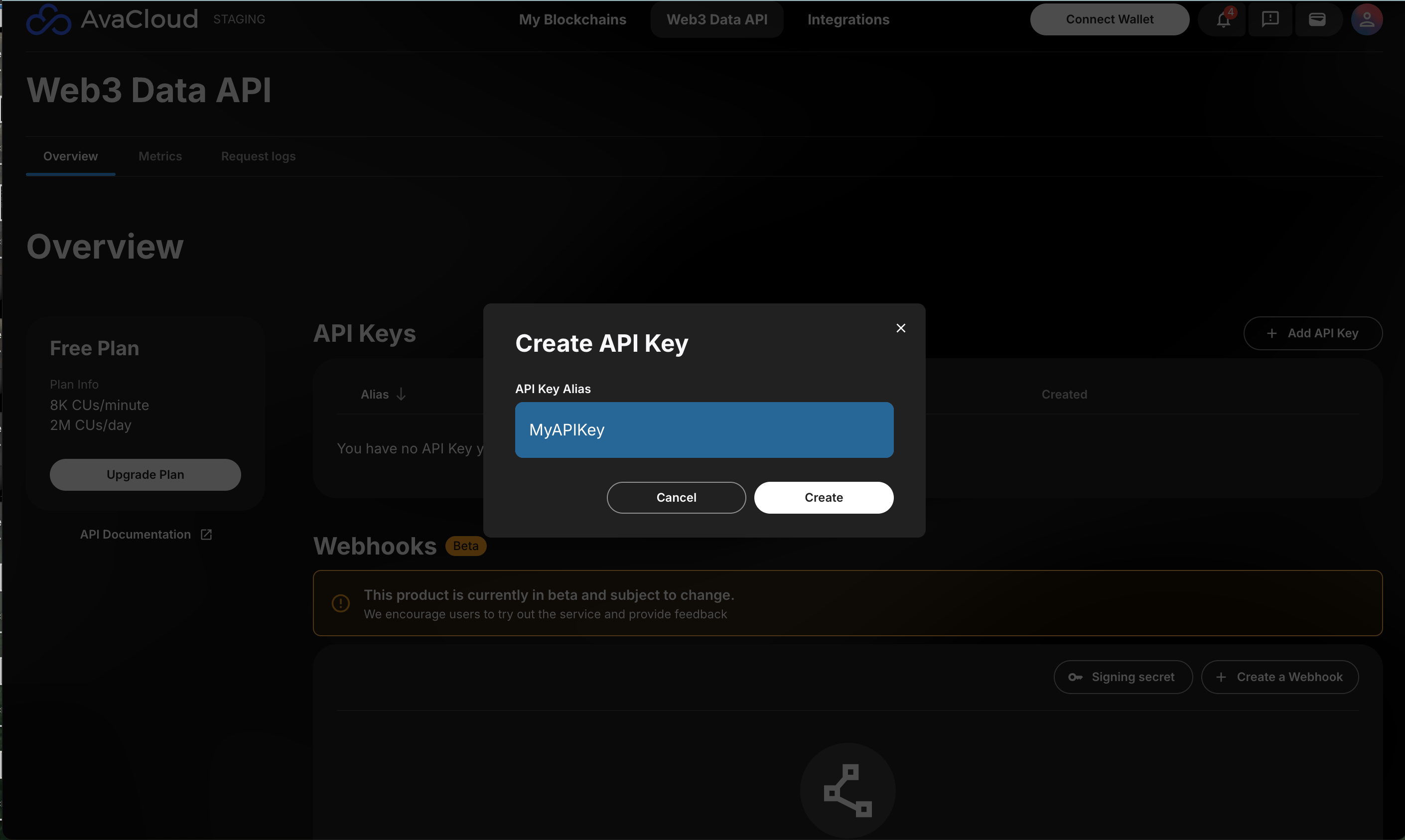
Assign the API key a name, optional private L1 and “Read-Only” scope, and click Create.
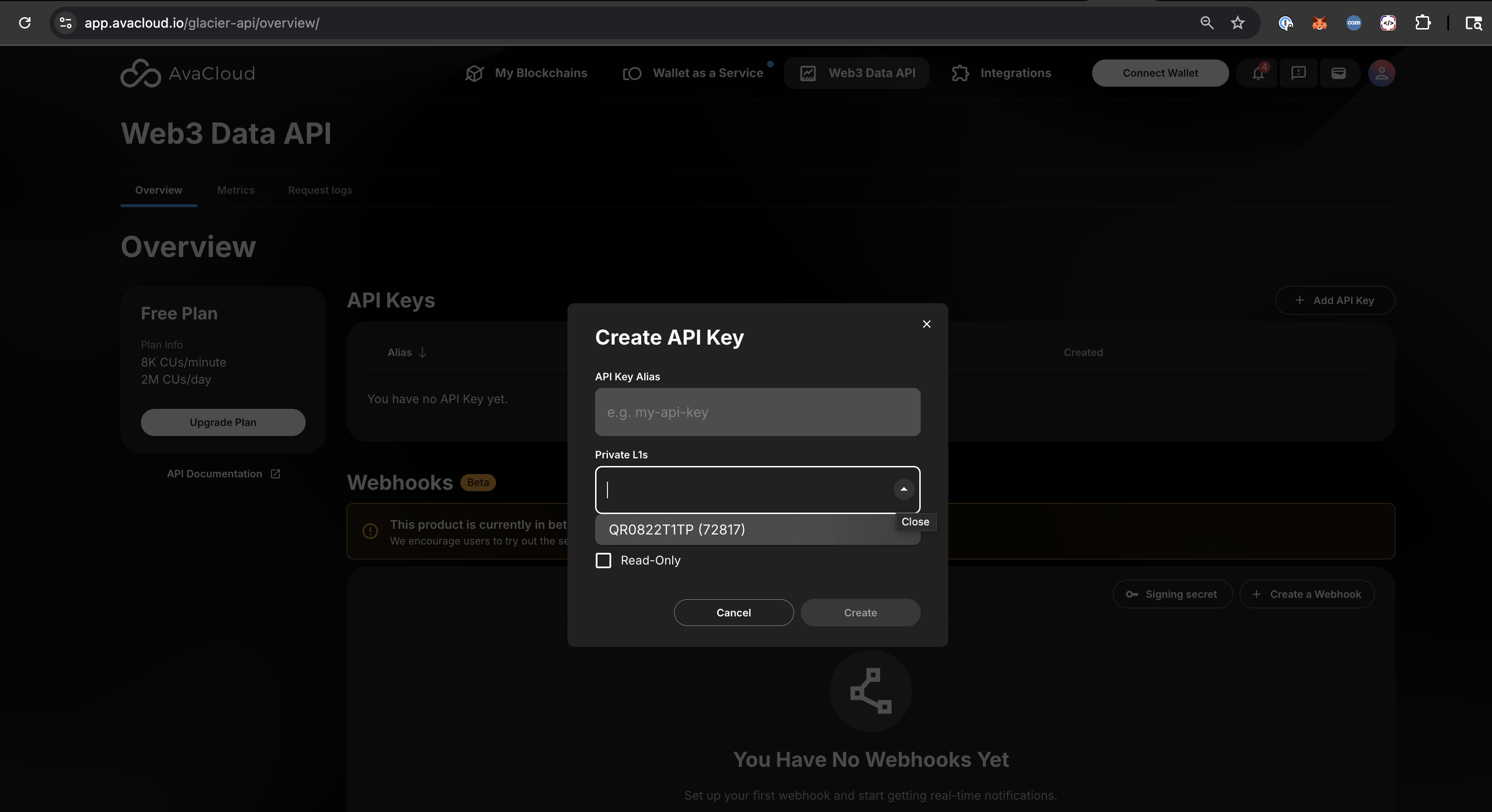
If the org has private L1s, a “Private L1” dropbox will show to let the user to pick a private L1.
There will be a pop up that the API key was created successfully. Once the API key is stored somewhere safe, click Done.
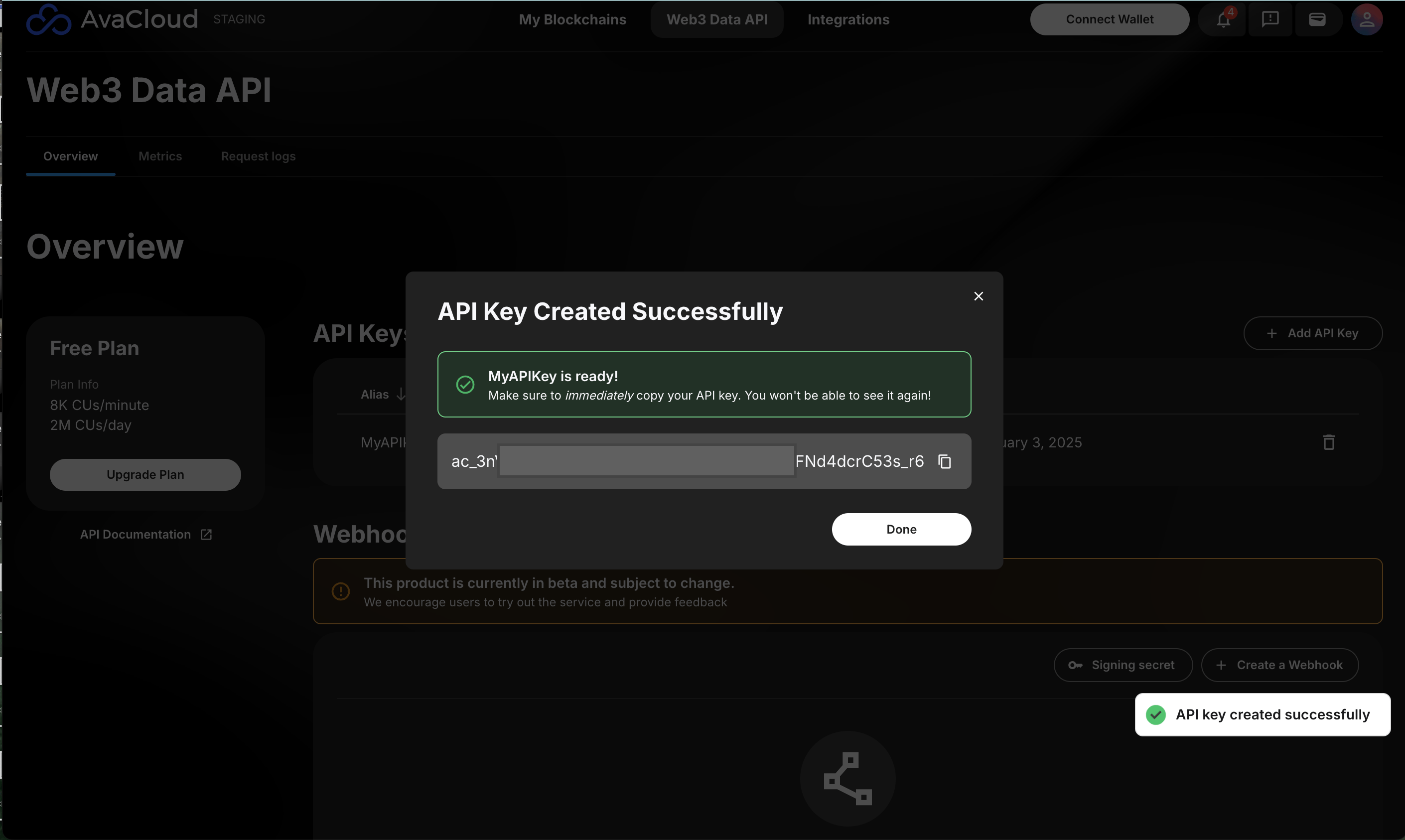
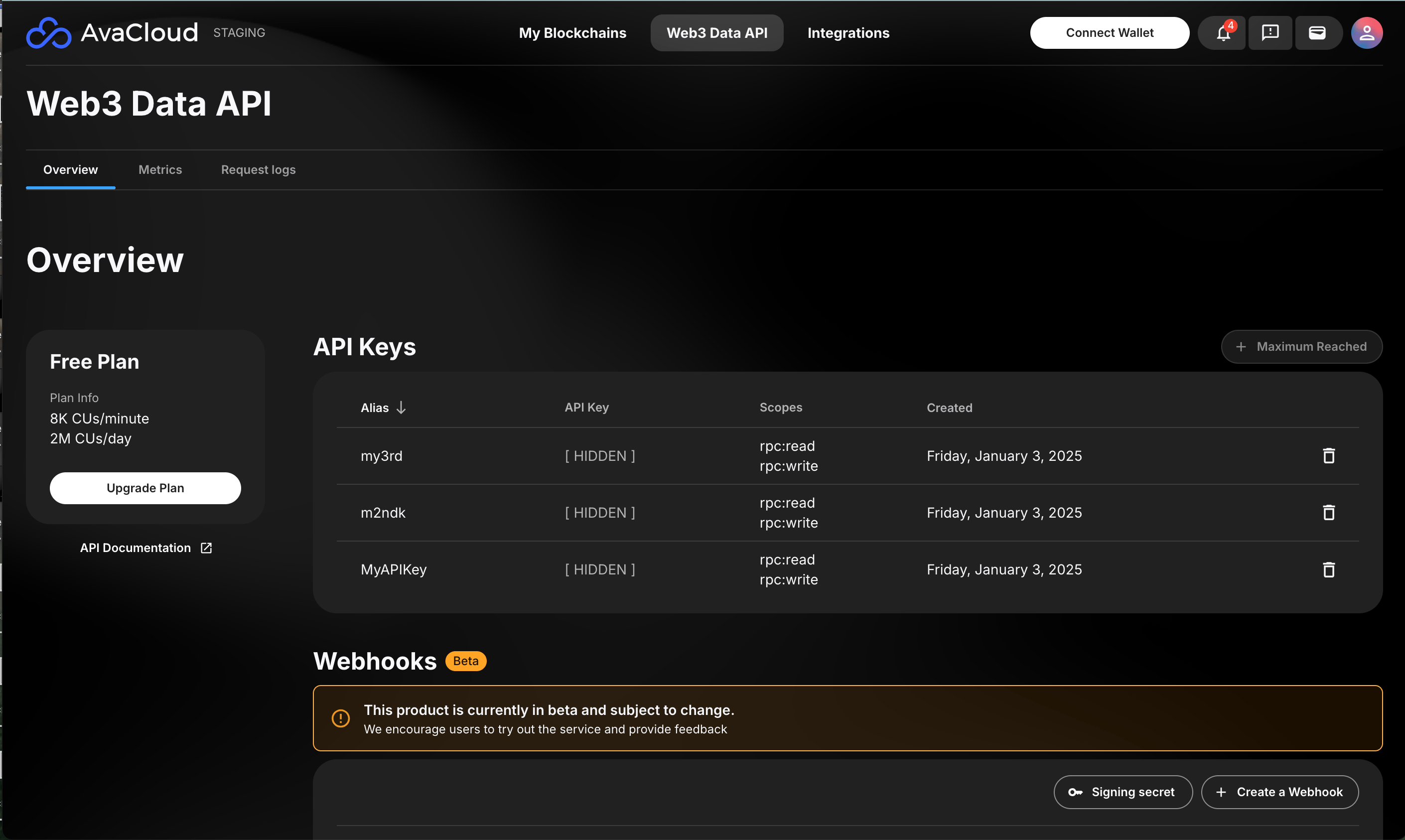
Once saved, users can view all the created API keys in the Dashboard.
Deleting an API Key
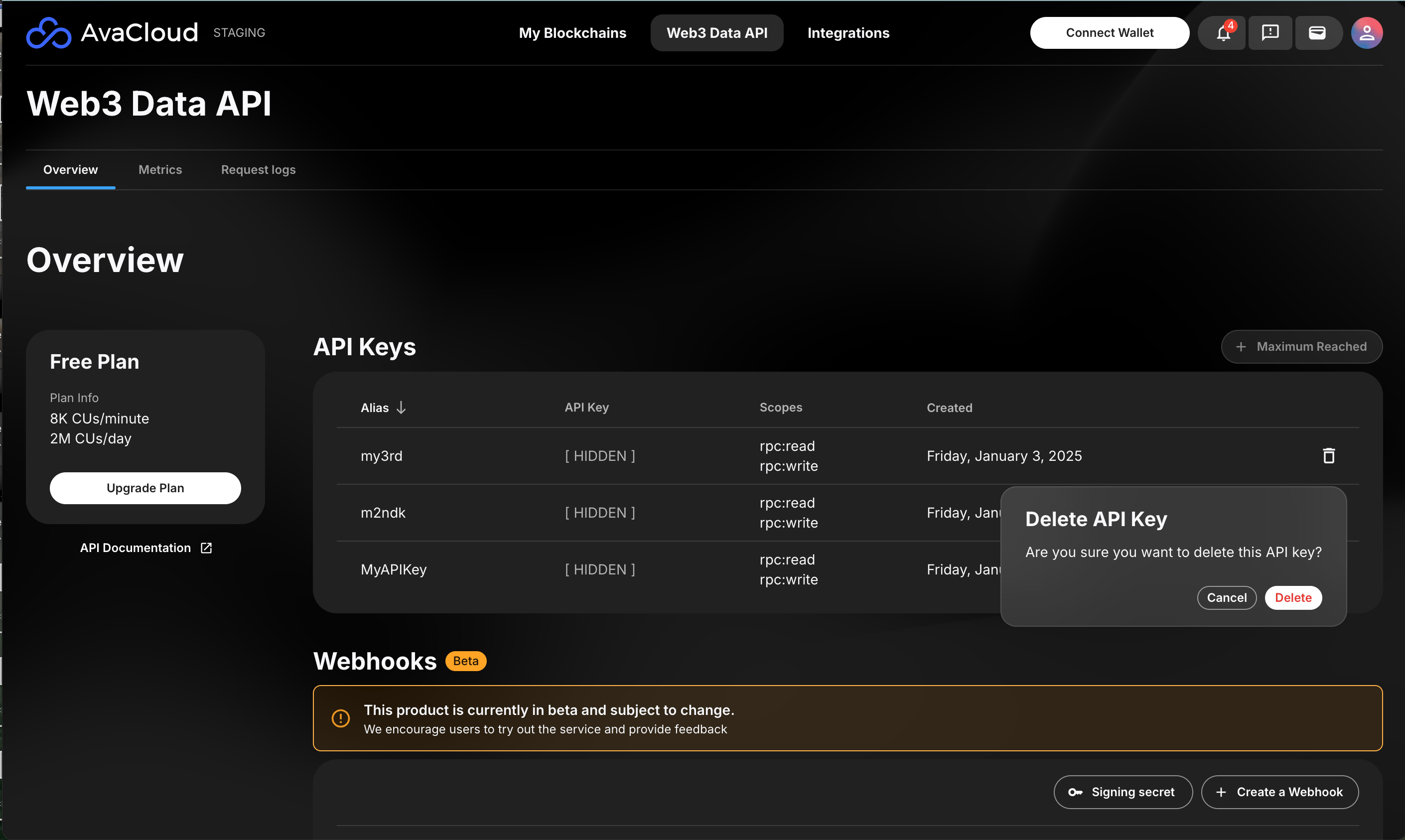
To delete an API key, click on the trash can icon on the far right of the key, and then click Delete.
If you need more help, explore our other articles or reach out to our support team via chat or email [email protected]. All examples provided are for demonstration purposes only.
Learn More About AvaCloud | Download Case Studies | Schedule an AvaCloud Demo
