eERC Token Operations
This guide walks you through all supported operations on an Encrypted ERC (eERC) token via the AvaCloud Portal.
Prerequisites
- Ensure the Privacy Module is enabled. (See setup instructions)
- The Core Extension must be connected in the portal with your preferred wallet account selected.
Registration
1. Registration
Before interacting with any eERC tokens, you must register your wallet address with the eERC system. Registration links your account to a public key, establishing your encrypted identity. This process uses zero-knowledge proofs, ensuring your private key is never exposed. (Learn more: Architecture: Registration)
To register:
-
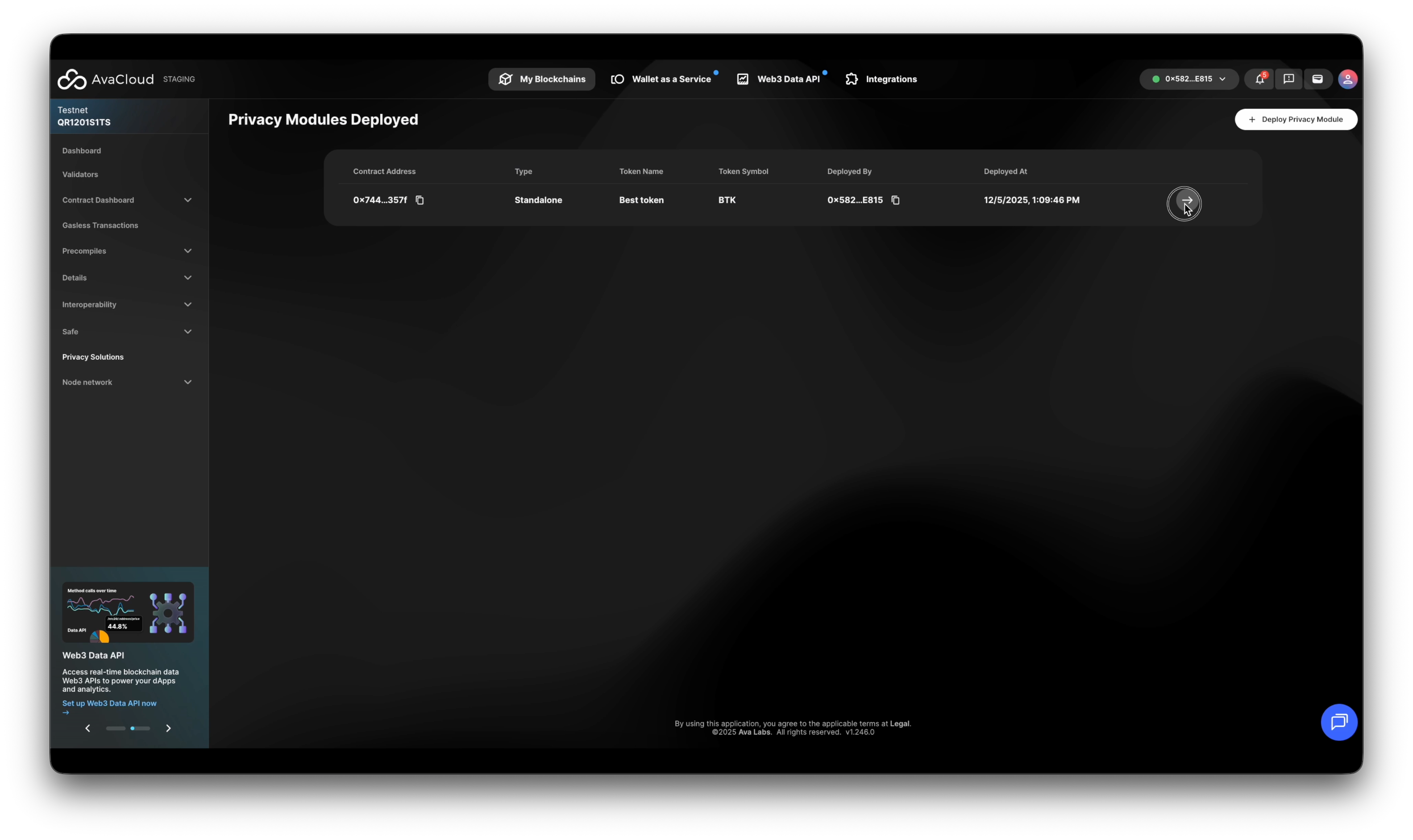
Open the Privacy Module on the Portal
-
Click the Register button.
- Sign the prompted message and approve all transactions.
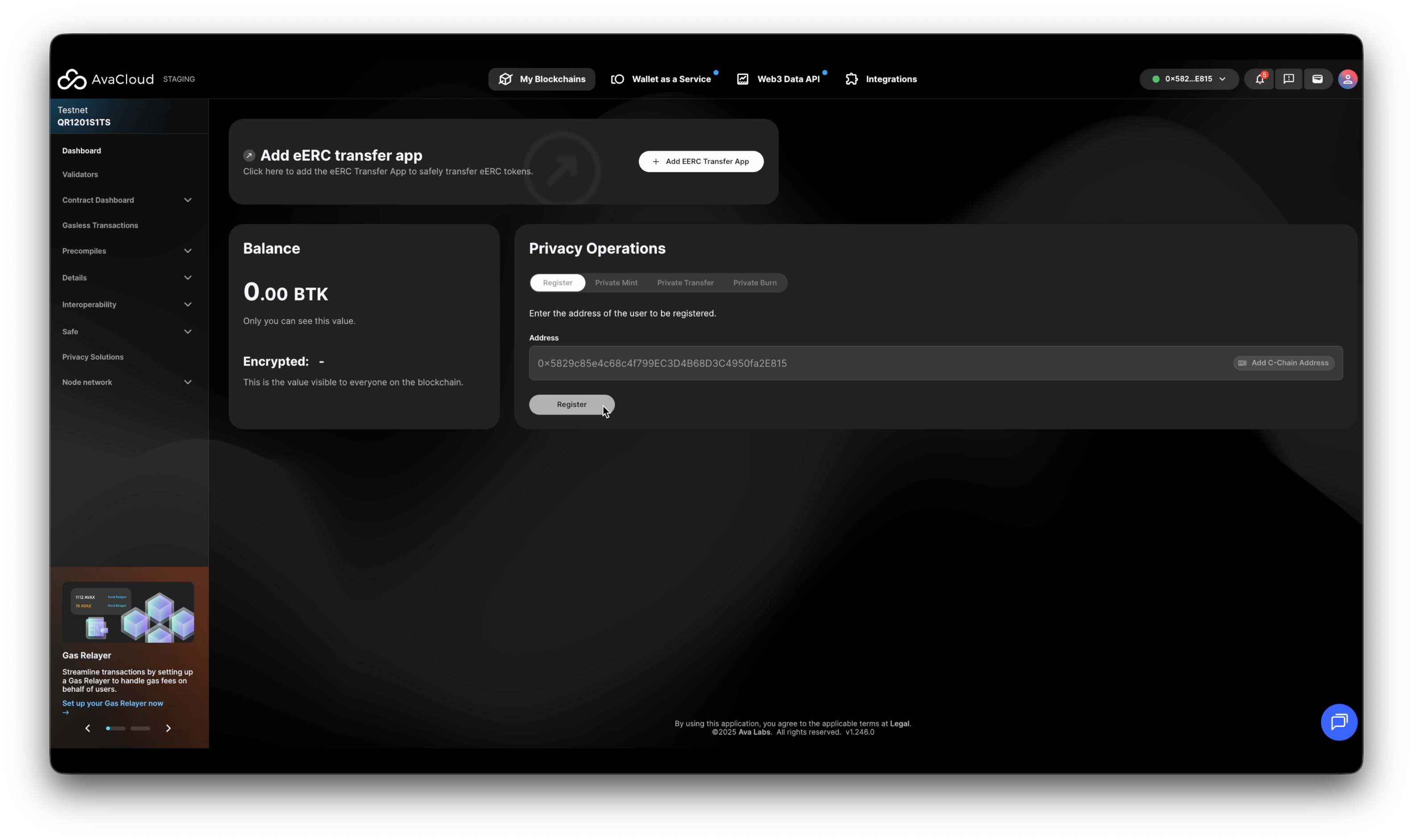
- Sign the prompted message and approve all transactions.
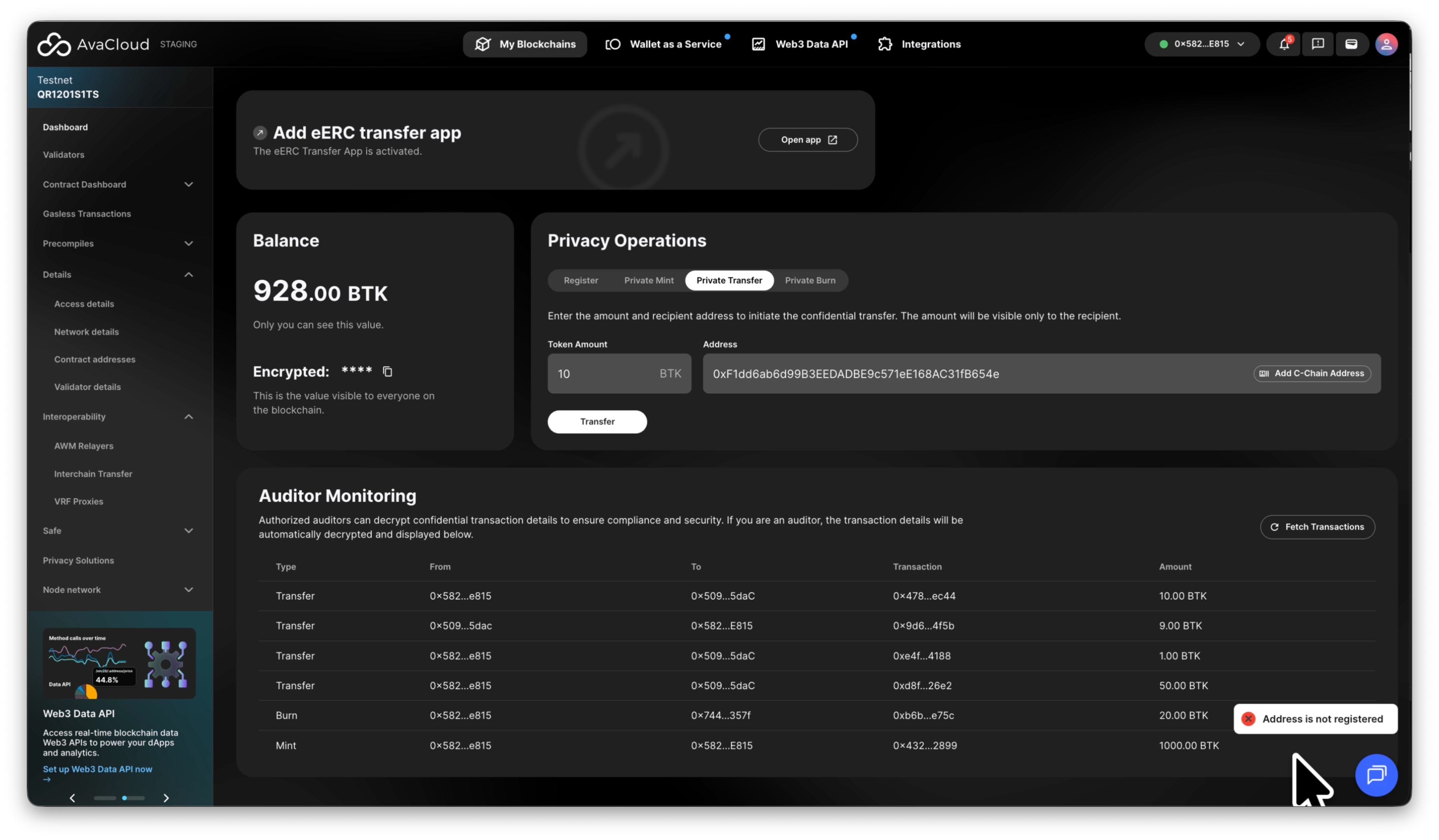
The recipient address must be registered before you can mint to or send tokens (via transfer) to them. If a recipient isn’t registered, you’ll see an error:
2. Assigning Auditor
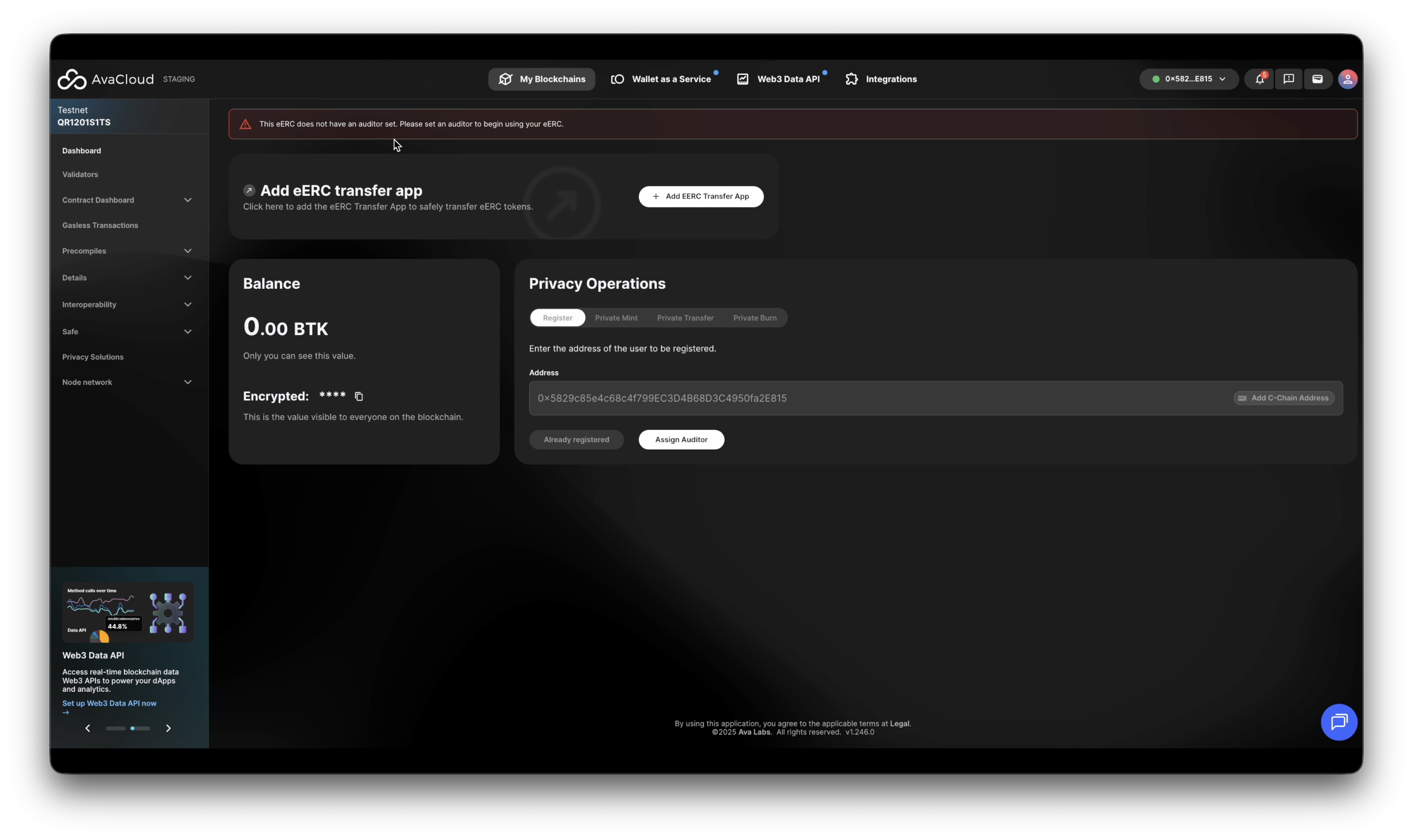
If the module does not have an auditor yet, a warning message is shown as follows
This eERC does not have an auditor set. Please set an auditor to begin using your eERC.
To assign an auditor:
- Click Assign Auditor
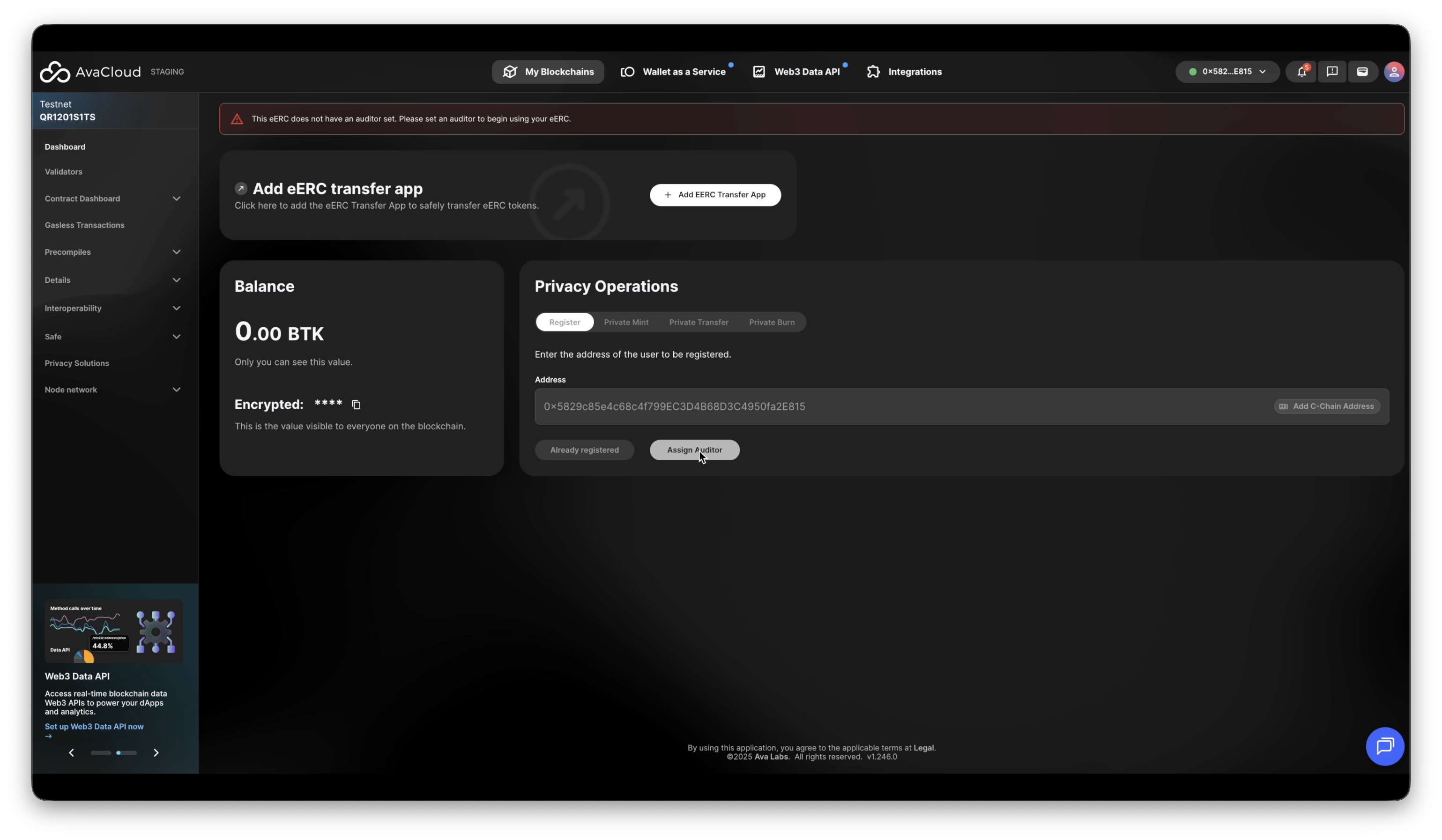
- Enter the wallet address to add as an auditor
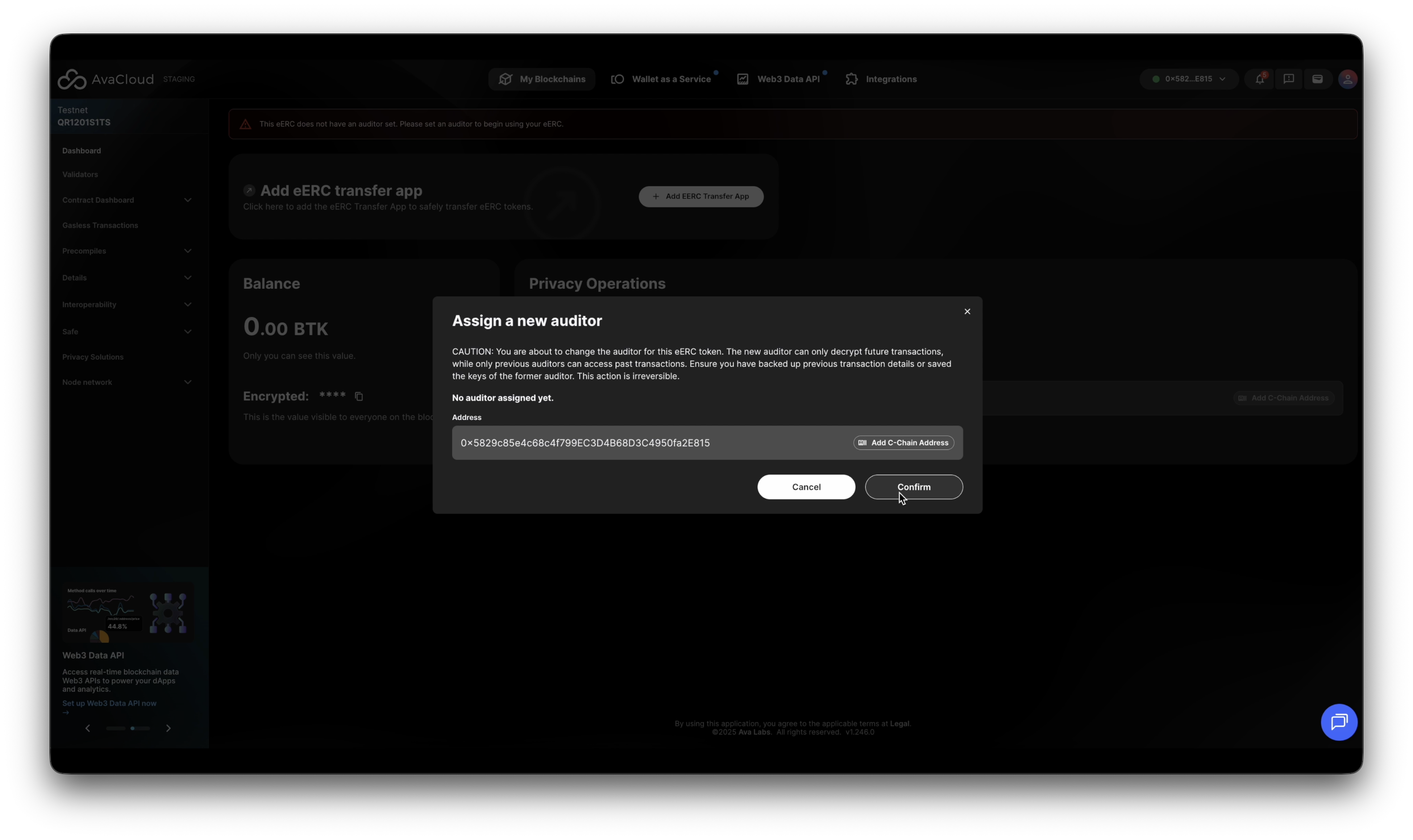
-
After assigning, if the connected wallet address is the auditor address, refresh the screen to see Auditor Monitoring.
-
Auditors can see decrypted details of confidential transactions, helping to ensure compliance.
Only one address can act as auditor at a time. You may reassign the auditor to a new address at any point. A newly assigned auditor can only view transactions from the moment they become auditor onward. The previous auditor can only view transaction details from the period when they were assigned as auditor.
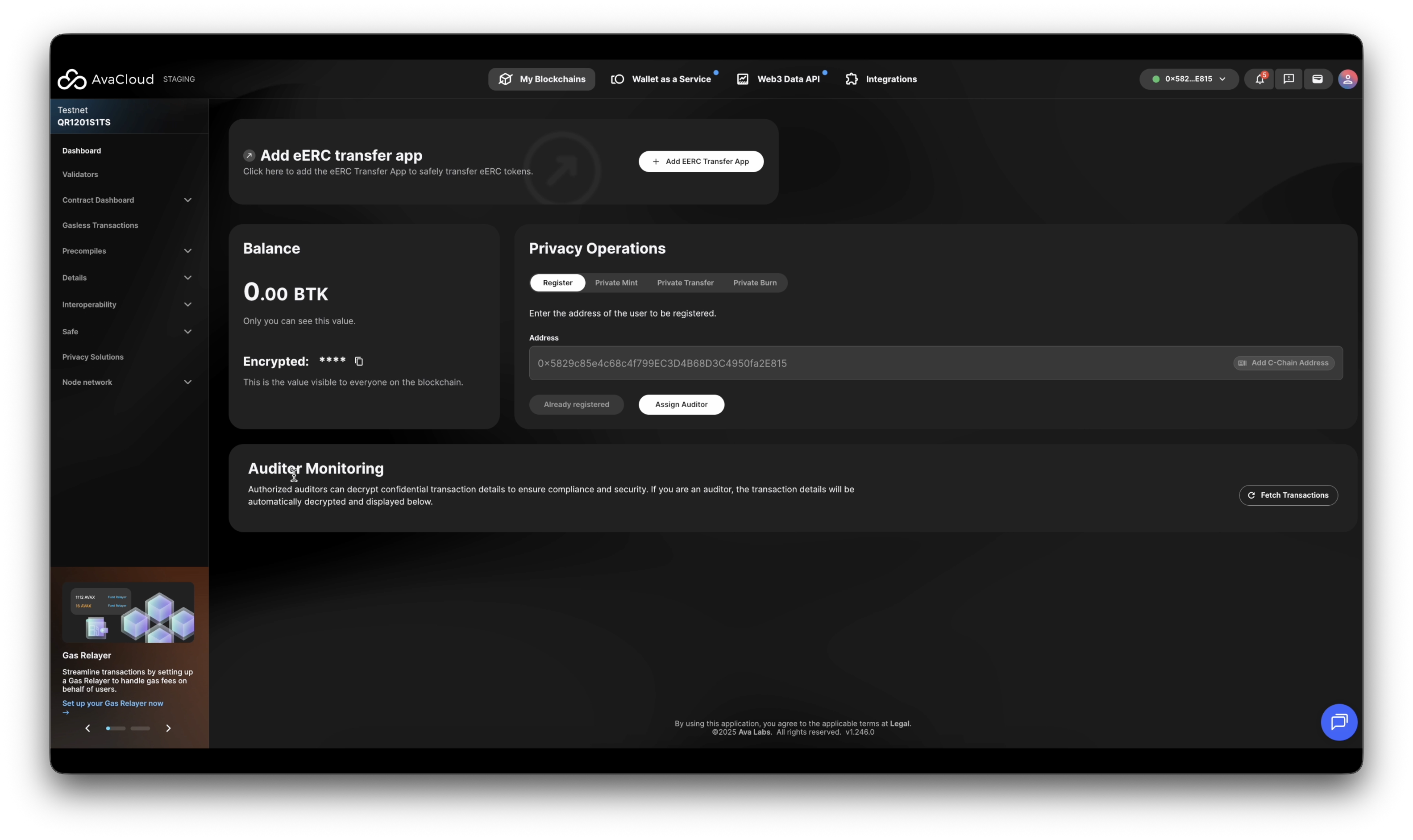
3. Private Mint
Enter token amount and recipient address, click Mint
To mint:
-
Enter the token amount and recipient’s address, then click Mint.
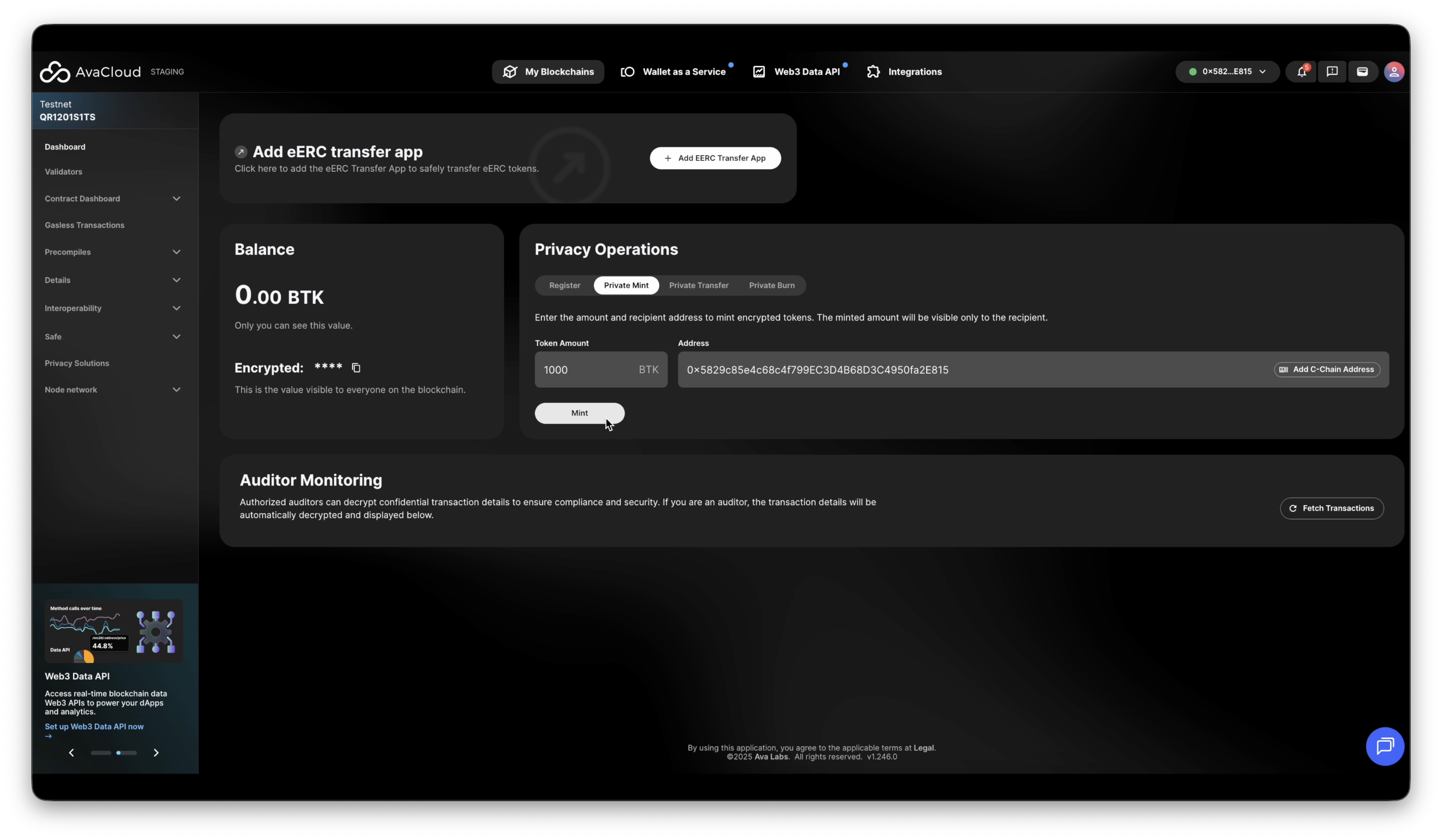
-
On success, a confirmation will display:
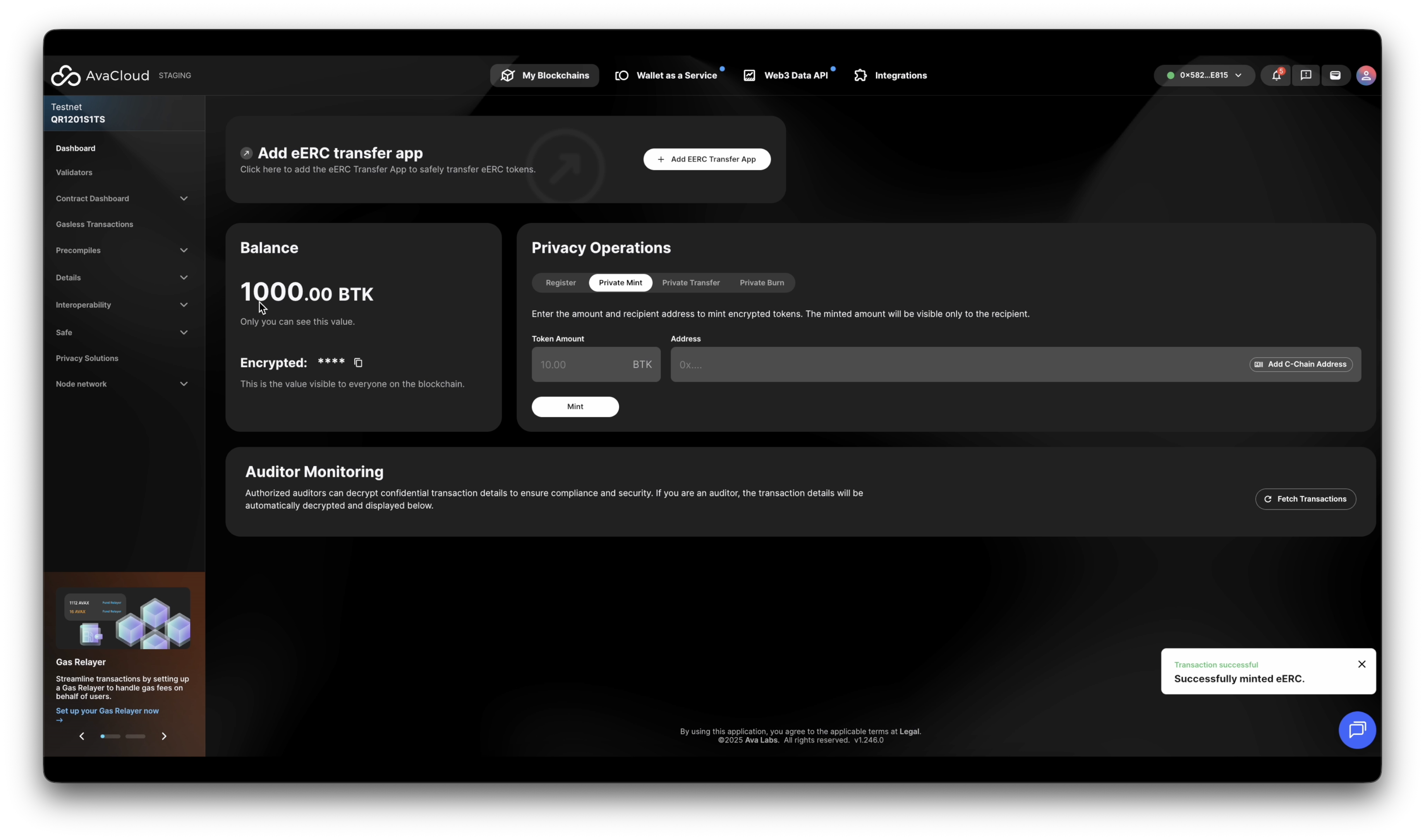
The recipient address must be registered or the mint will fail with “address is not registered.”
4. Private Burn
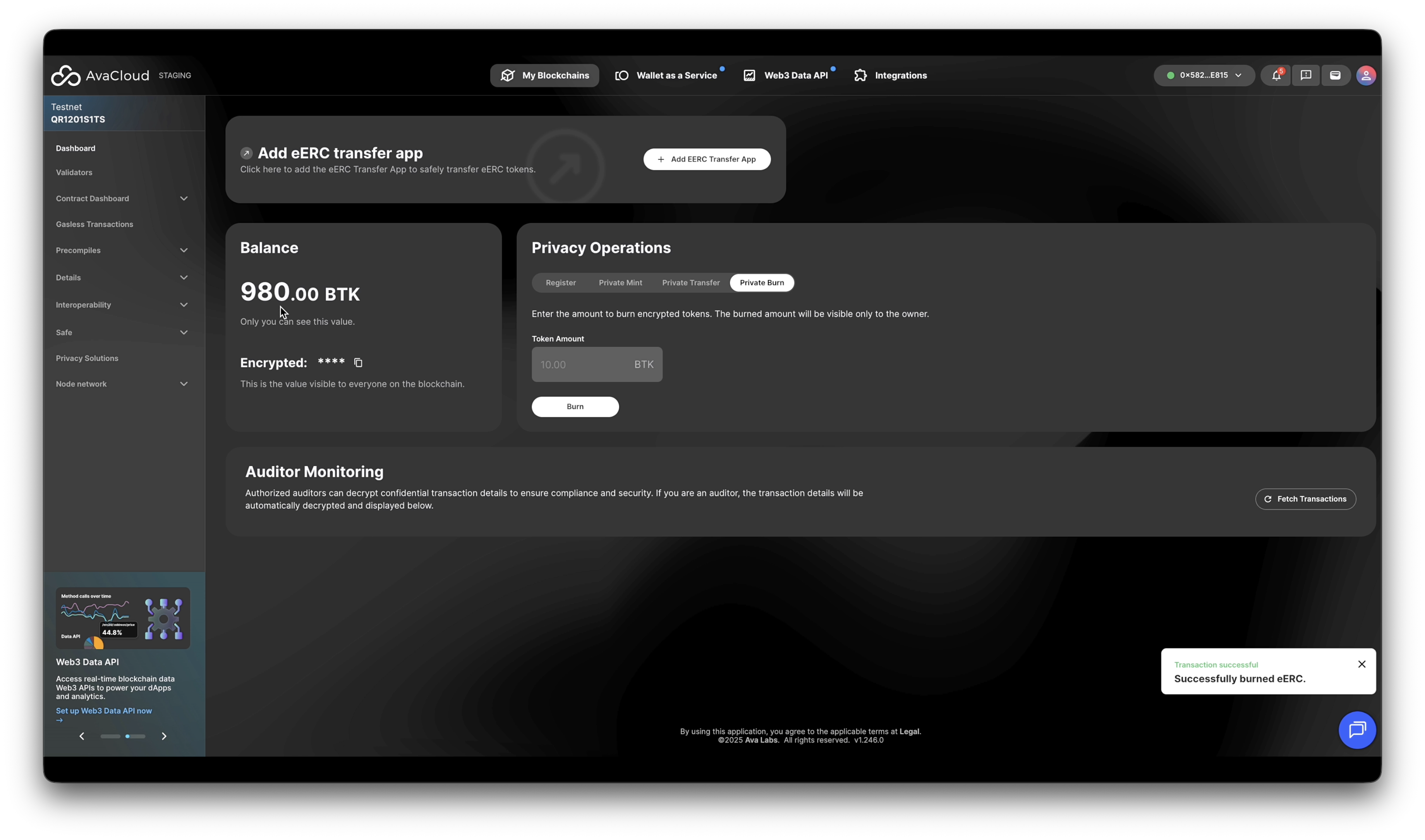
To destroy (burn) eERC tokens, enter the amount to remove from supply and click Burn.
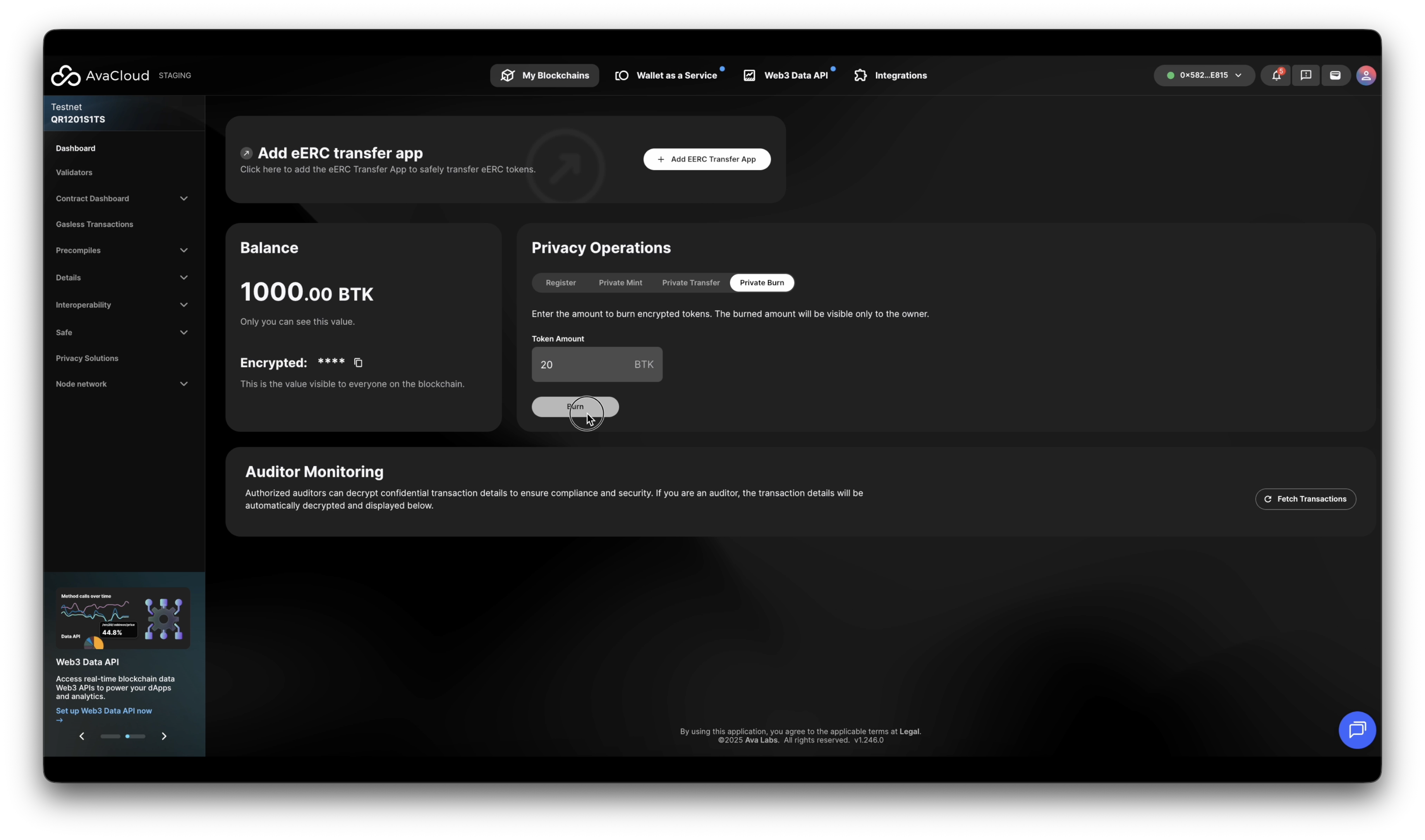
Upon success, your encrypted balance is immediately updated.
5. Private Transfer
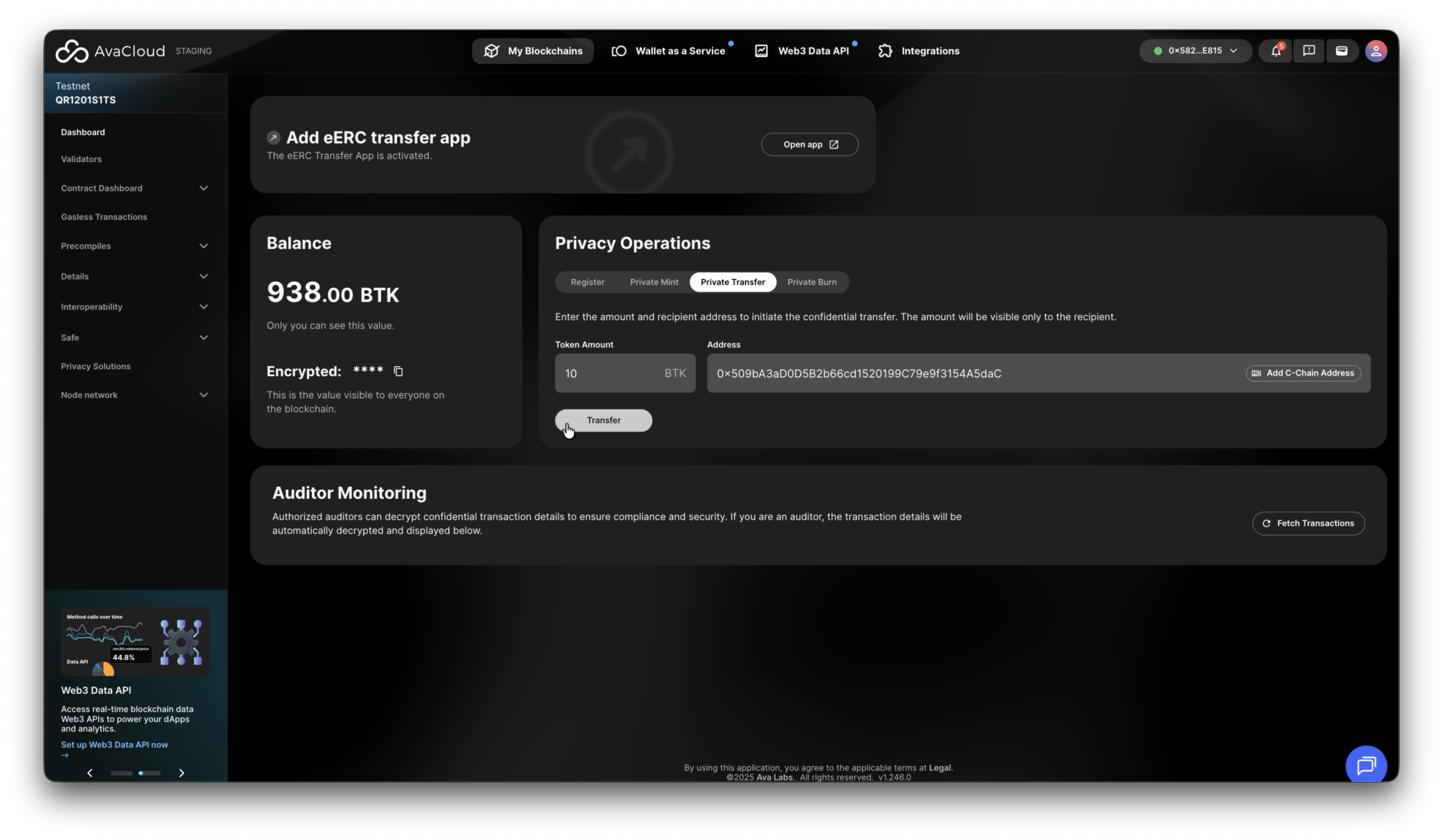
Transferring eERC tokens is handled privately. Each transfer involves a sender, receiver, and (optionally) an auditor. Transfers remain confidential but prove compliance and validity via zero-knowledge.
(Details: Transfer Operation)
To transfer:
-
Enter the sending amount and recipient address, then click Transfer.
-
Once complete, your new (encrypted) token balance will reflect the change.
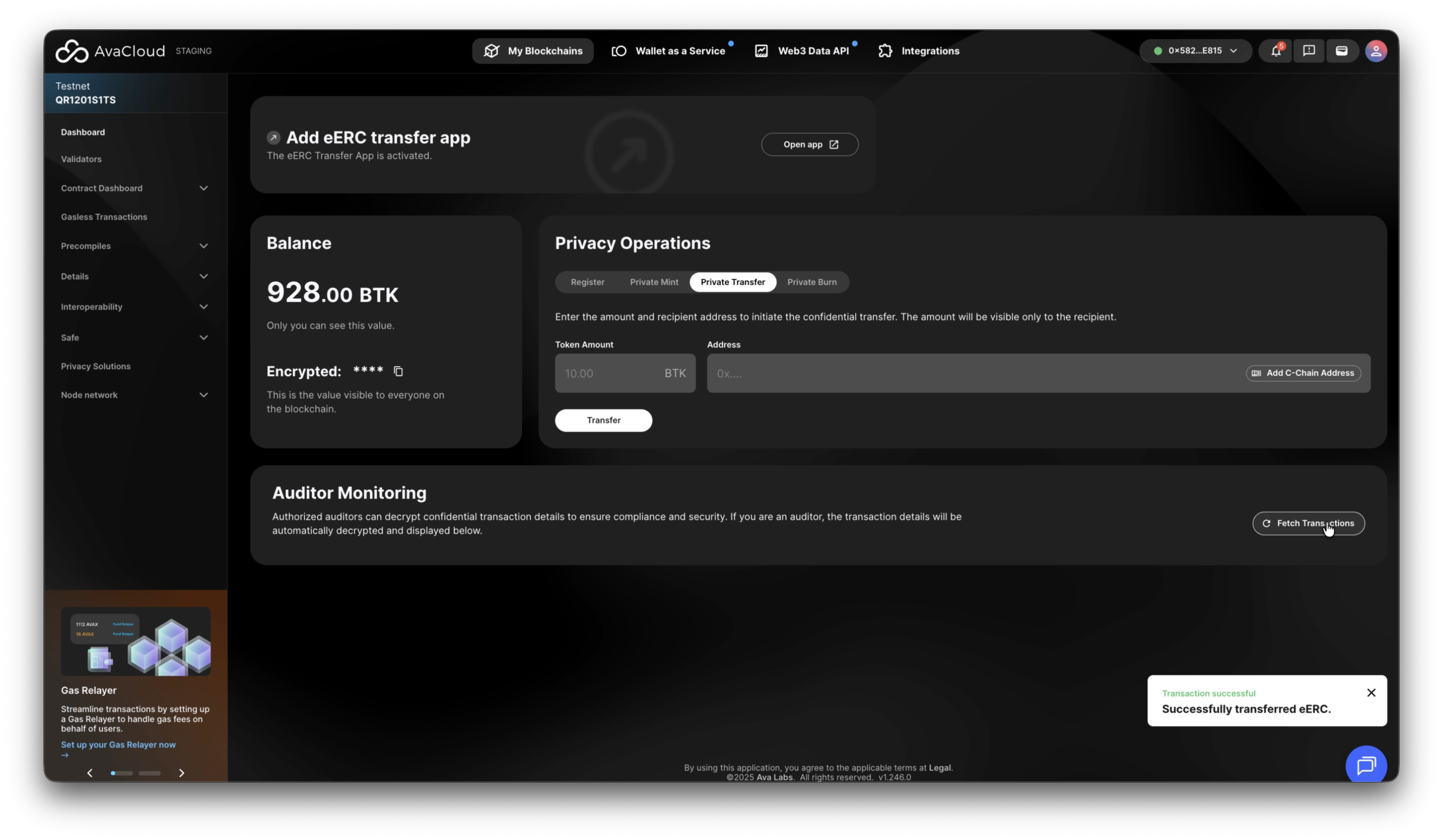
The recipient must be registered or your transfer will fail with “address is not registered.”
6. Auditor Monitoring
Registered auditor can review decrypted transaction details for compliance and regulatory review.
- Click Fetch Transactions under Auditor Monitoring to view recent transactions (visible only if the connected wallet is an auditor).
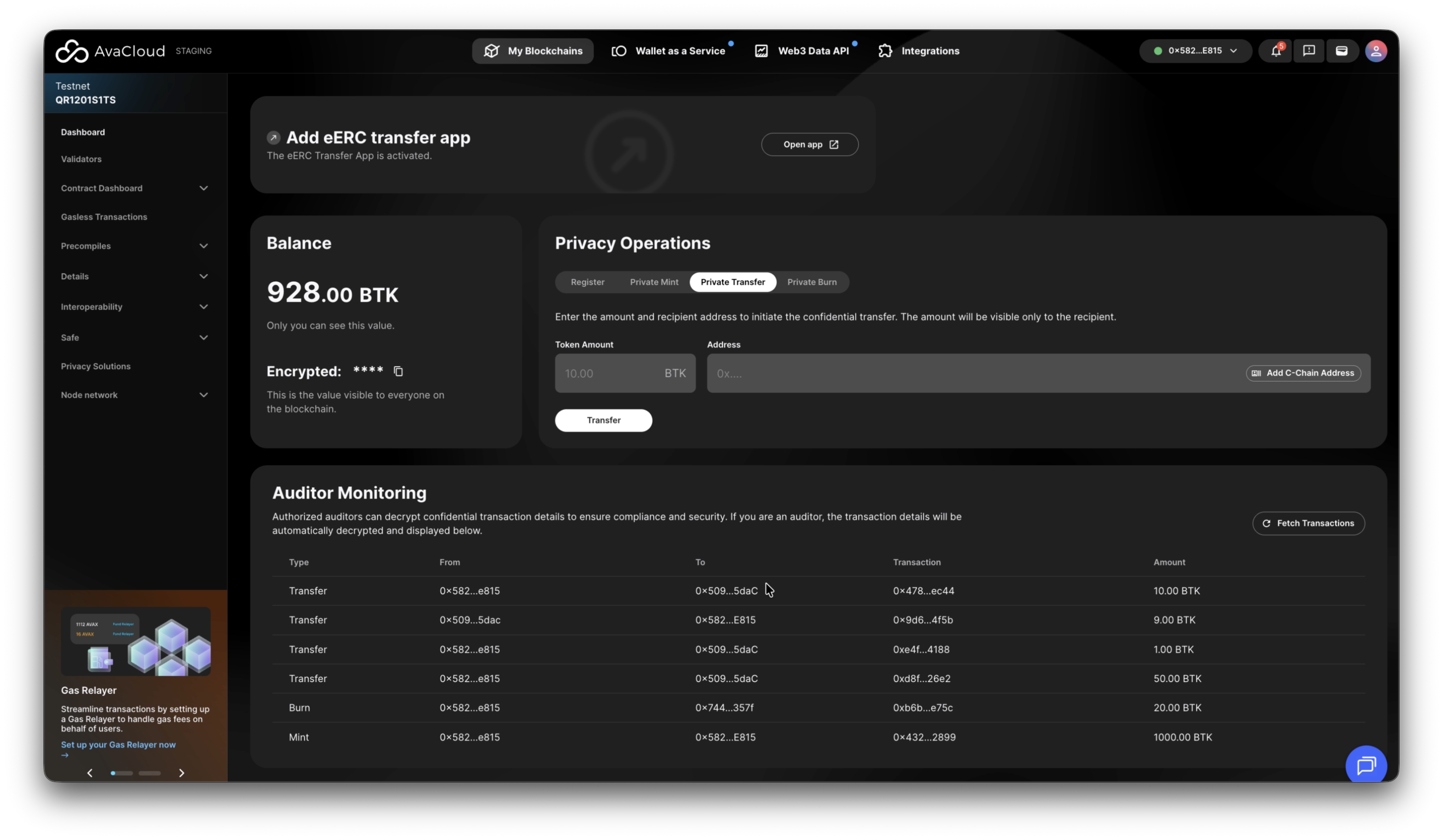
For example, consider the following transaction hash:
0x47837dfbbfa525d09b78b1a4f829e7e9c582eac1fab37946260677658809ec44
- In the Auditor Monitoring section, the token type and transaction amount are fully revealed.
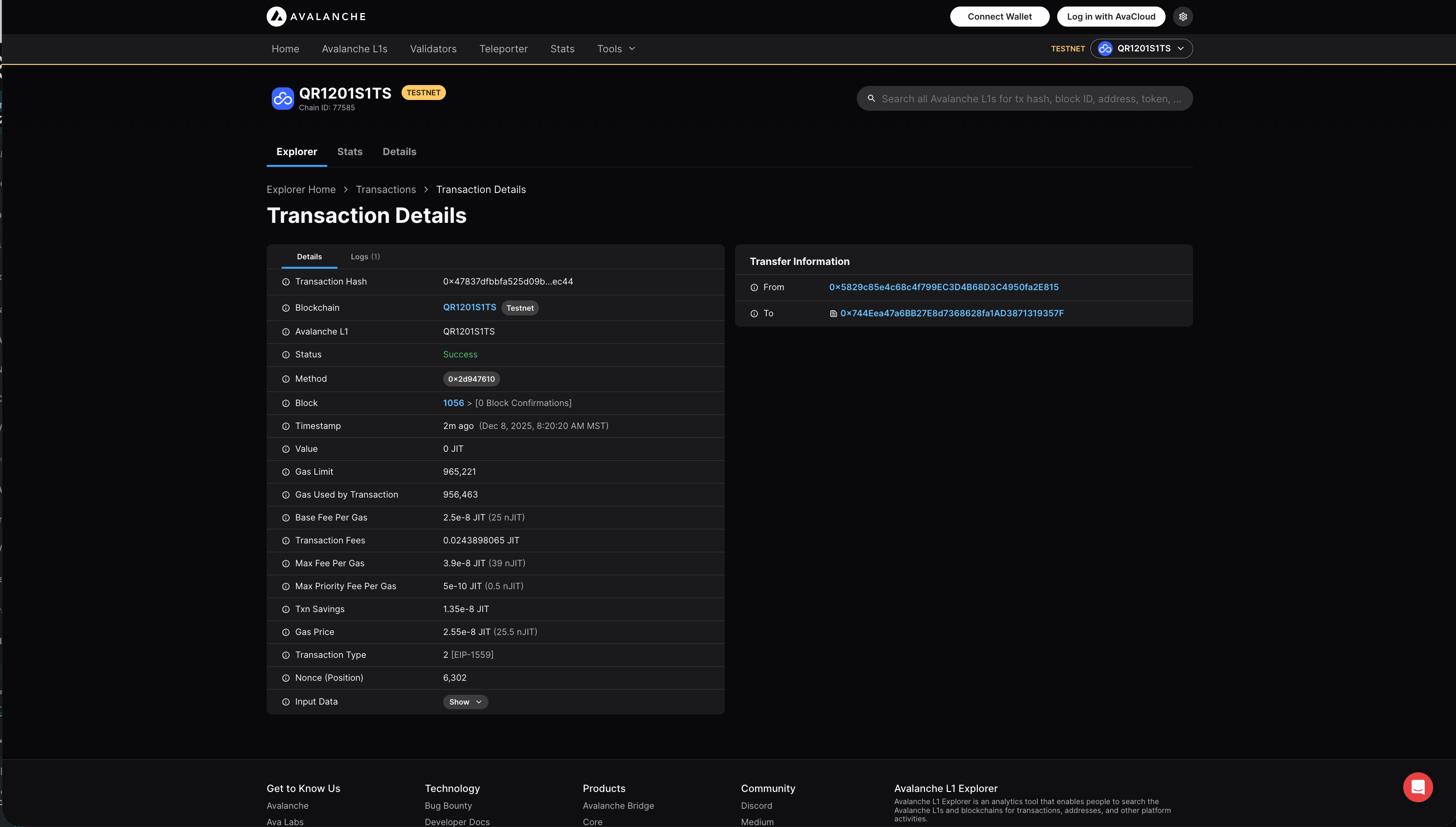
- On the public Explorer, the token type and transaction amount remain hidden:
View transaction on Explorer
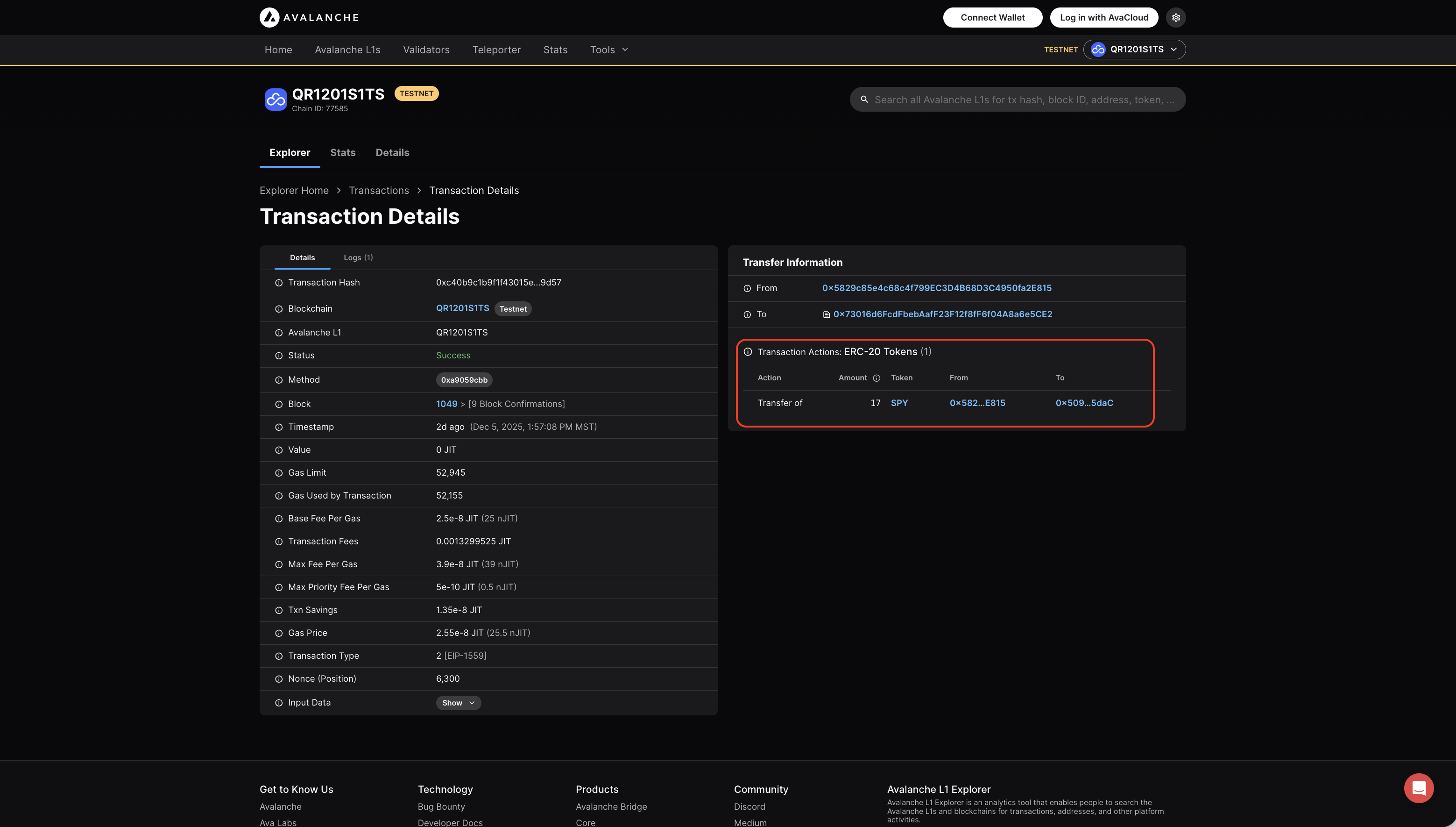
For contrast, a normal ERC-20 transfer transaction (like this one) will publicly show the transfer token and amount:
Video Walkthrough
If you need more help, explore our other articles or reach out to our support team via chat or email [email protected]. All examples provided are for demonstration purposes only.
Learn More About AvaCloud | Download Case Studies | Schedule an AvaCloud Demo
