

How to Create and Use a New Safe Account?
Prerequisite
Before you begin, make sure you have already deployed Safe by following the deployment guide.
Creating and Using a Safe Account
Create a New Safe Account
To set up a new Safe account on your L1, follow these steps:
- Log in to the AvaCloud Portal.
- Select your target L1.
- In the left navigation panel, click
Safe. - Click the
Create new accountbutton.
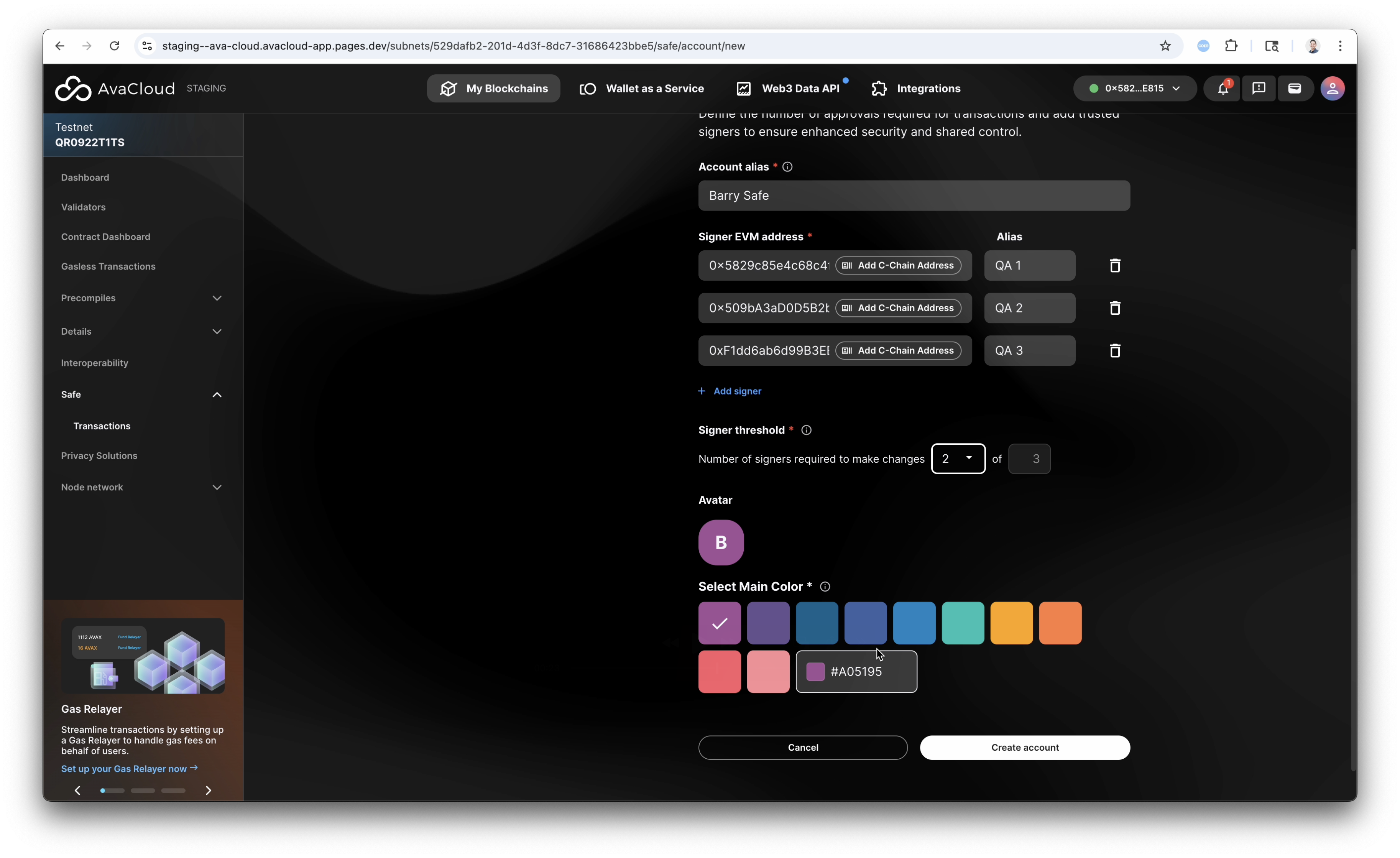
Fill out the account creation form with the following information:
- Account alias
- Signer EVM addresses and aliases
- Signer threshold
- Avatar color
For a visual walkthrough, watch the video below:
Fund Your Safe Account
Before using your Safe account, you must fund it with the gas token. See the video below for instructions:
Using the Safe Account
Create a Token Transfer Request
Click the New transfer button and follow the on-screen instructions to submit a token transfer request.
Sign and Submit a Transfer
To sign the transaction as an associated signer, follow the on-screen instructions in the video below.
Reject a Transfer
To reject a transaction as an associated signer, click the reject button and provide a reason. See the video for details.
Sign and Submit an On-Chain Rejection
To complete the rejection process, sign the rejected transaction as an associated signer by following the instructions in the video below.
If you need more help, explore our other articles or reach out to our support team via chat or email support@avacloud.io. All examples provided are for demonstration purposes only.
Learn More About AvaCloud | Download Case Studies | Talk to Our Team