***
## title: How to upgrade my Web3 Data API plan?
Within the [AvaCloud](https://app.avacloud.io/) portal, users can view their current tiered plan on the left-hand side.
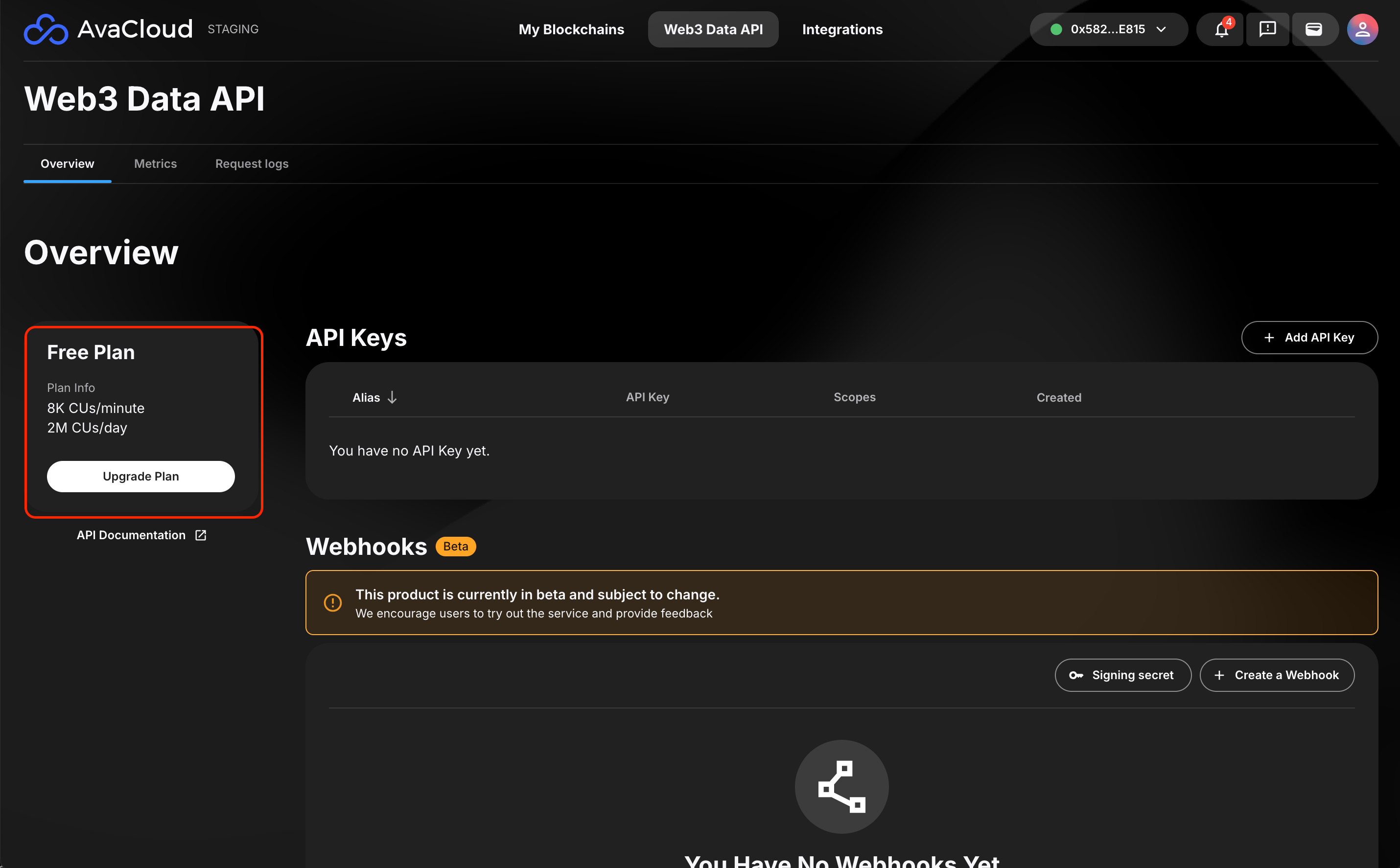 After selecting “Upgrade Plan” users will see all of the options available for upgrading.
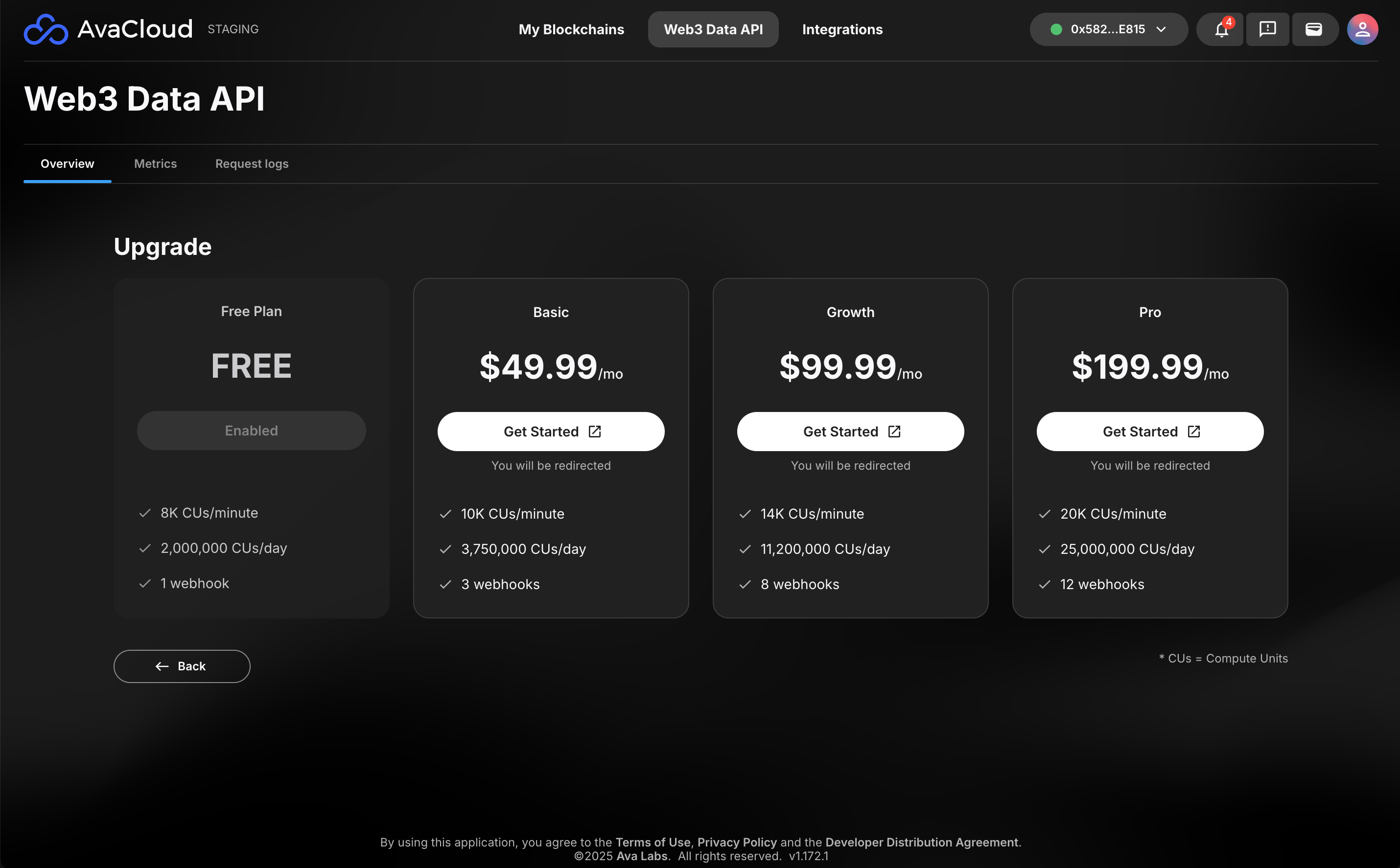 Clicking on **Get Started** will redirect the user to the external payment platform to upgrade their plan.
To learn more about the Web3 Data API please visit the [AvaCloud Developers Hub](https://developers.avacloud.io/introduction) or visit the [AvaCloud portal](https://app.avacloud.io/) to get started.
***
If you need more help, explore our other articles or reach out to our support team via chat or email [support@avacloud.io](mailto:support@avacloud.io). All examples provided are for demonstration purposes only.
[Learn More About AvaCloud](https://avacloud.io/) | [Download Case Studies](https://avacloud.io/case-studies) | [Schedule an AvaCloud Demo](https://avacloud.io/demo)
Clicking on **Get Started** will redirect the user to the external payment platform to upgrade their plan.
To learn more about the Web3 Data API please visit the [AvaCloud Developers Hub](https://developers.avacloud.io/introduction) or visit the [AvaCloud portal](https://app.avacloud.io/) to get started.
***
If you need more help, explore our other articles or reach out to our support team via chat or email [support@avacloud.io](mailto:support@avacloud.io). All examples provided are for demonstration purposes only.
[Learn More About AvaCloud](https://avacloud.io/) | [Download Case Studies](https://avacloud.io/case-studies) | [Schedule an AvaCloud Demo](https://avacloud.io/demo)